Online Equalizer: Use a 19-Band EQ with Compressor Free in Your Browser
Too little bass, harsh highs, a podcast that sounds muffled — often all it takes is a targeted frequency correction. The KodiniTools 19-Band EQ Pro brings a full equalizer with compressor into your browser. Load your audio file, hear the changes in real time, and export the result directly as WAV or WebM. No installation, no upload.
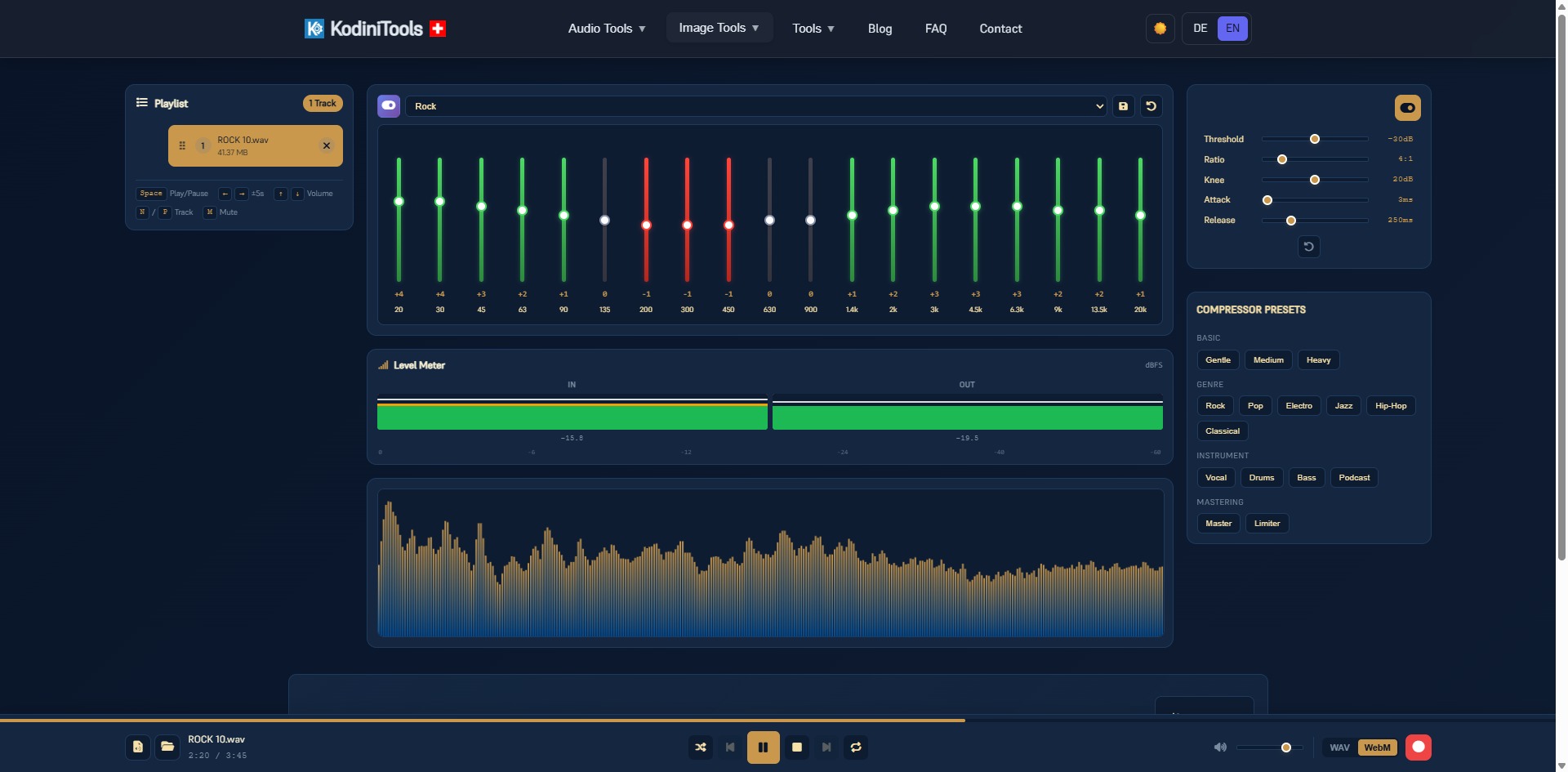
What Makes a 19-Band Equalizer Different
Simple equalizers offer three to five controls: bass, mids, treble. That is enough for rough corrections, but not for targeted work. The 19-Band EQ Pro splits the audible spectrum from 20 Hz to 20 kHz into 19 narrow bands. You can tame a boomy area at 135 Hz without losing the sub-bass, or lift speech intelligibility around 2 to 3 kHz without making sibilants sharper.
| Range | Bands | Effect |
|---|---|---|
| Sub-bass | 20, 30, 45 Hz | Weight and foundation, felt rather than heard |
| Bass | 63, 90, 135 Hz | Warmth, kick, bass guitar — boominess often lives here |
| Low mids | 200, 300, 450 Hz | Body of voices and instruments, too much sounds muddy |
| Mids | 630, 900 Hz, 1.4 kHz | Presence, nasal character when overdone |
| High mids | 2, 3, 4.5 kHz | Speech intelligibility, drum attack |
| Treble | 6.3, 9, 13.5, 20 kHz | Brilliance, air, sibilance when exaggerated |
Presets as a Starting Point
If you do not want to start from scratch, pick a preset from the dropdown, such as Rock, and fine-tune individual bands from there. Your own settings can be saved and reset with one click. The compressor comes with ready-made templates in four groups:
- Basic: Gentle, Medium, Heavy — from soft smoothing to strong densification.
- Genre: Rock, Pop, Electro, Jazz, Hip-Hop, Classical.
- Instrument: Vocal, Drums, Bass, Podcast.
- Mastering: Master and Limiter for the final polish.
The Compressor: Even Loudness Without Pumping
A compressor lowers loud passages and leaves quiet parts alone. The result sounds denser and louder without clipping. The 19-Band EQ Pro offers the five classic parameters:
- Threshold: the level at which the compressor starts working, e.g. -30 dB.
- Ratio: how much the signal is reduced. 4:1 is a solid all-round value.
- Knee: how soft the transition into compression is.
- Attack: how fast the compressor reacts. Short values like 3 ms catch transients.
- Release: how fast it lets go again, around 250 ms for music.
The level meter shows input and output side by side in dBFS. You can see immediately how much the compressor is actually catching, and whether the signal still has headroom.
Step by Step: Editing Audio with the Equalizer
-
Open the 19-Band EQ Pro
Go to kodinitools.com/equaliser19 — free, no registration.
-
Load audio files into the playlist
Add single files or several tracks. The playlist on the left shows name, size and order; use N and P on the keyboard to jump between tracks.
-
Choose a preset and adjust the bands
Play the track, select a preset and fine-tune individual sliders. Every change is audible instantly, and the spectrum display below shows where the energy sits in the frequency range.
-
Enable the compressor (optional)
Switch it on at the top right, pick a preset or set threshold, ratio, attack and release manually. The level meter keeps the result in check.
-
Record and export
Choose WAV or WebM in the bar at the bottom, start recording and play the track. The processed version is saved directly as a file.
Tip: less is more. Cutting usually sounds more natural than boosting. If a voice sounds muffled, first gently lower the range around 200 to 450 Hz instead of boosting the highs heavily.
Typical Use Cases
- Podcast post-production: Podcast preset, a slight lift at 2 to 3 kHz, compressor Medium — the voice sits up front and stays evenly loud.
- Music for headphones: a bit more sub-bass at 45 to 63 Hz, highs at 9 to 13.5 kHz for brilliance.
- Refreshing old recordings: reduce noise above 13.5 kHz, lift the mids, Limiter as the final step.
- Matching loudness: compressor Master or Limiter to bring several tracks to a similar level.
Privacy: Everything Stays in Your Browser
The equalizer processes audio entirely locally using your browser's Web Audio API. No file is uploaded to a server, not even for export. That makes the tool suitable for unreleased recordings and confidential interviews.
Shape your sound now — 19 bands, compressor and export, free in your browser.
Open 19-Band EQ Pro →