No Loading Bars, No Waiting: Why kodinitools.com Is Built for Maximum Speed
If you want to quickly edit an image, trim an audio file or convert a document online, you want one thing above all: to get started right away. Nobody wants to sit through endless loading times, struggle with sign-up forms or click away ad banners.
That is why kodinitools.com is built from the ground up so that its tools are ready to use directly in your browser – no detours, no data stored on third-party servers and, above all, lightning fast.
A recent test with Google PageSpeed Insights shows what this means for your everyday work in front of the screen – and how much a series of targeted optimisations achieved within a single day.
A Perfect Score: 100 out of 100 on Desktop
When you open kodinitools.com on your laptop or PC, there is no noticeable delay. Google awards the top score:
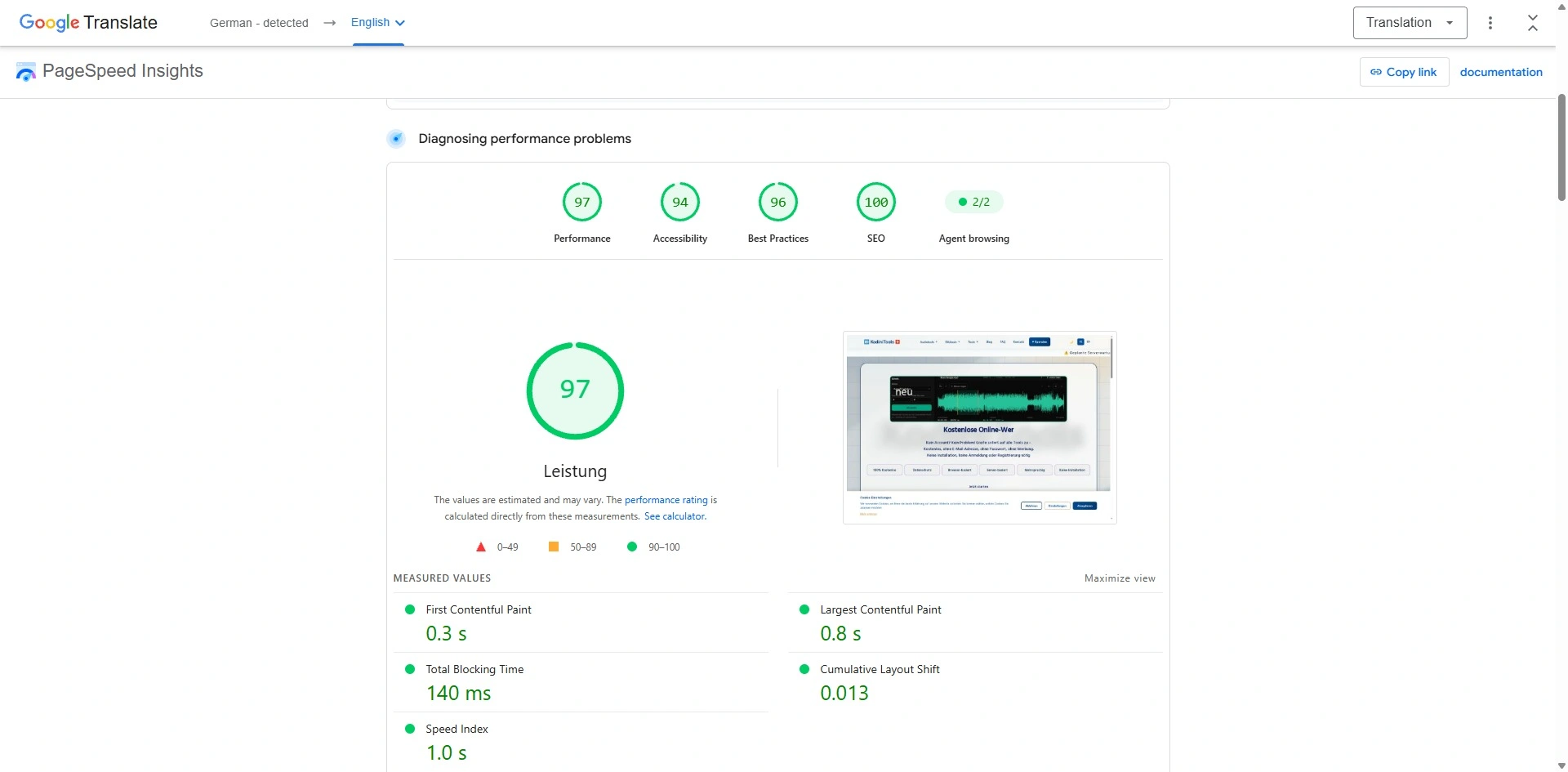
- Ready in 0.3 seconds: In the blink of an eye, the first content is visible to you (First Contentful Paint).
- Fully loaded in 0.6 seconds: Even the largest element in the visible area is in place in well under a second (Largest Contentful Paint).
- No stuttering, no freezing: Script blocking time is 0 milliseconds (Total Blocking Time) – the page responds to every click without delay.
- Nothing jumps: With a layout shift score of 0 (CLS), every element stays exactly where it belongs.
Data from real visitors in the Chrome UX Report confirms it too: the Core Web Vitals assessment for desktop is passed.
Strong on the Go, Too: 97 out of 100 on Your Smartphone
On mobile devices, connections on the go are often unreliable and smartphones have less computing power than a desktop computer. That is why Google simulates an average smartphone with a throttled mobile connection in its test. Even so, the mobile version scores 97 points:
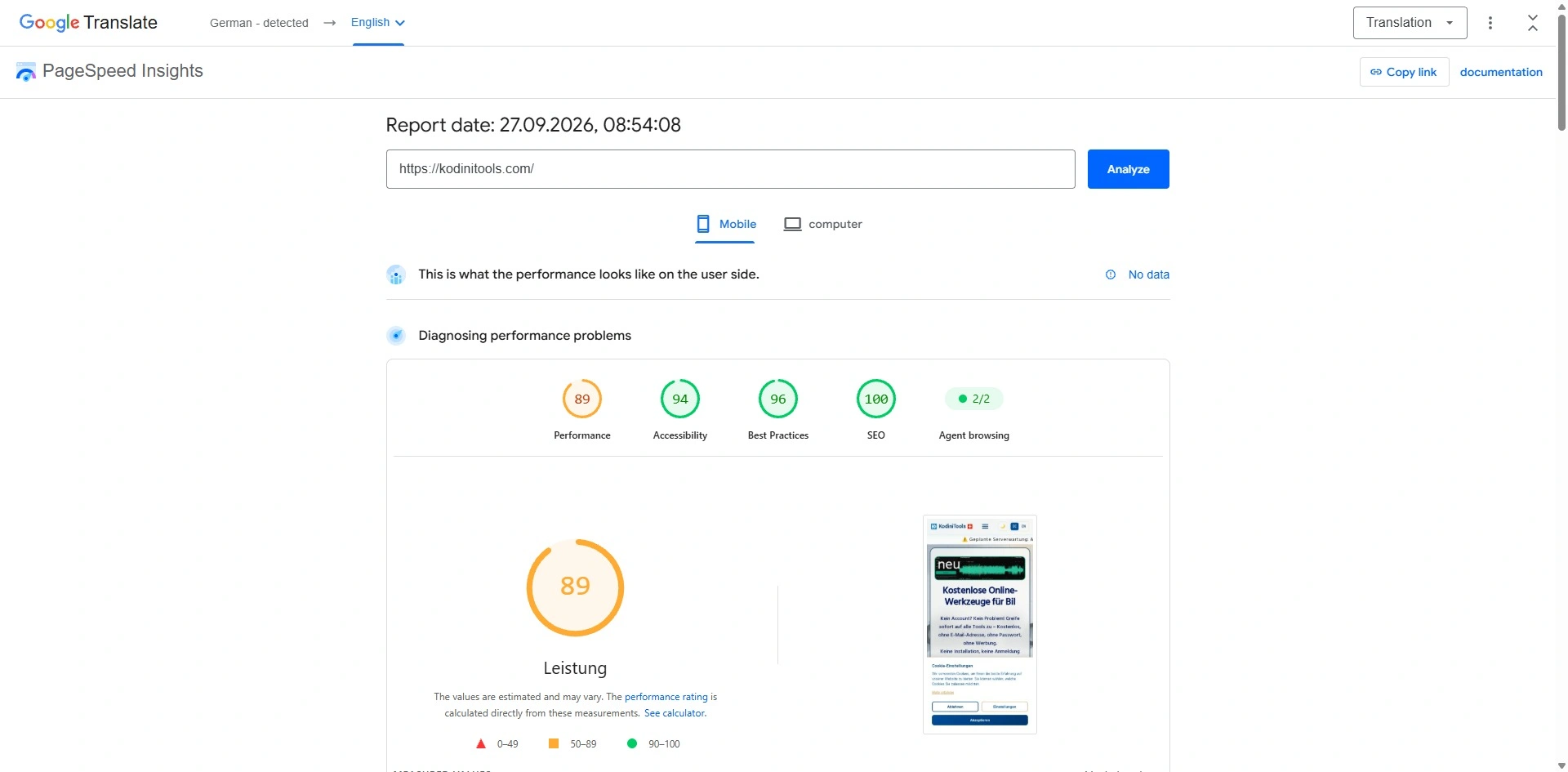
- Something to see right away: The first content appears after 1.4 seconds, and the visible area is also built up after 1.4 seconds (First Contentful Paint, Speed Index).
- Inputs respond instantly: Script blocking time is a negligible 10 milliseconds (Total Blocking Time). When you tap a button, the interface reacts immediately.
- Stable layout, no mis-taps: Many mobile pages jump around while loading, so you accidentally tap the wrong thing. On our pages the layout shift is 0 (CLS).
- Technically clean: A full 100 points for SEO, 94 points for accessibility and 92 points for best practices.
From 89 to 97 Points: Before and After
In the first test that morning, mobile performance was still at 89 points. After a series of targeted optimisations, the comparison looks like this:
| Metric (smartphone) | First test | Now |
|---|---|---|
| Performance | 89 points | 97 points |
| Largest Contentful Paint | 3.6 s | 2.6 s |
| Speed Index | 3.0 s | 1.4 s |
| Total Blocking Time | 30 ms | 10 ms |
| Cumulative Layout Shift | 0.015 | 0 |
On desktop, the score went from 97 to a full 100 points, and the Largest Contentful Paint dropped from 0.8 to 0.6 seconds.
What We Optimised
- Leaner images: The large header image now uses the modern WebP format. The logo and Swiss flag in the navigation were resized to the size they are actually displayed at – the logo alone shrank from around 150 KB to 2 KB.
- First things first: The browser loads the header image with top priority, before less important elements get their turn.
- No jumping while loading: The header image and headline reserve their space from the start, so nothing slides down when content loads in.
- Notices without delay: The cookie notice appears with the very first render instead of popping in afterwards.
What Comes Next
At 2.6 seconds, the Largest Contentful Paint on smartphones is now only just above the 2.5-second mark at which Google rates the value as "good". That last tenth of a second is our next target, so the mobile tools feel just as weightless as they do on desktop.
Our benchmark: Simple operation, respect for your time and reliable tools – that remains the benchmark for kodinitools.com.
See for yourself – every tool loads right in your browser, no sign-up required.
Discover all tools →